The DOM
Depth of Market (DOM)
The Tickblaze Standard Desktop includes a DOM tool for traders who prefer to trade based on Depth of Market (Order Book) data strategies. For a general description of DOM and the associated concepts, refer to this article on the subject: Depth of Market Meaning and How to Use DOM Data.
Full-Featured Upgraded DOM
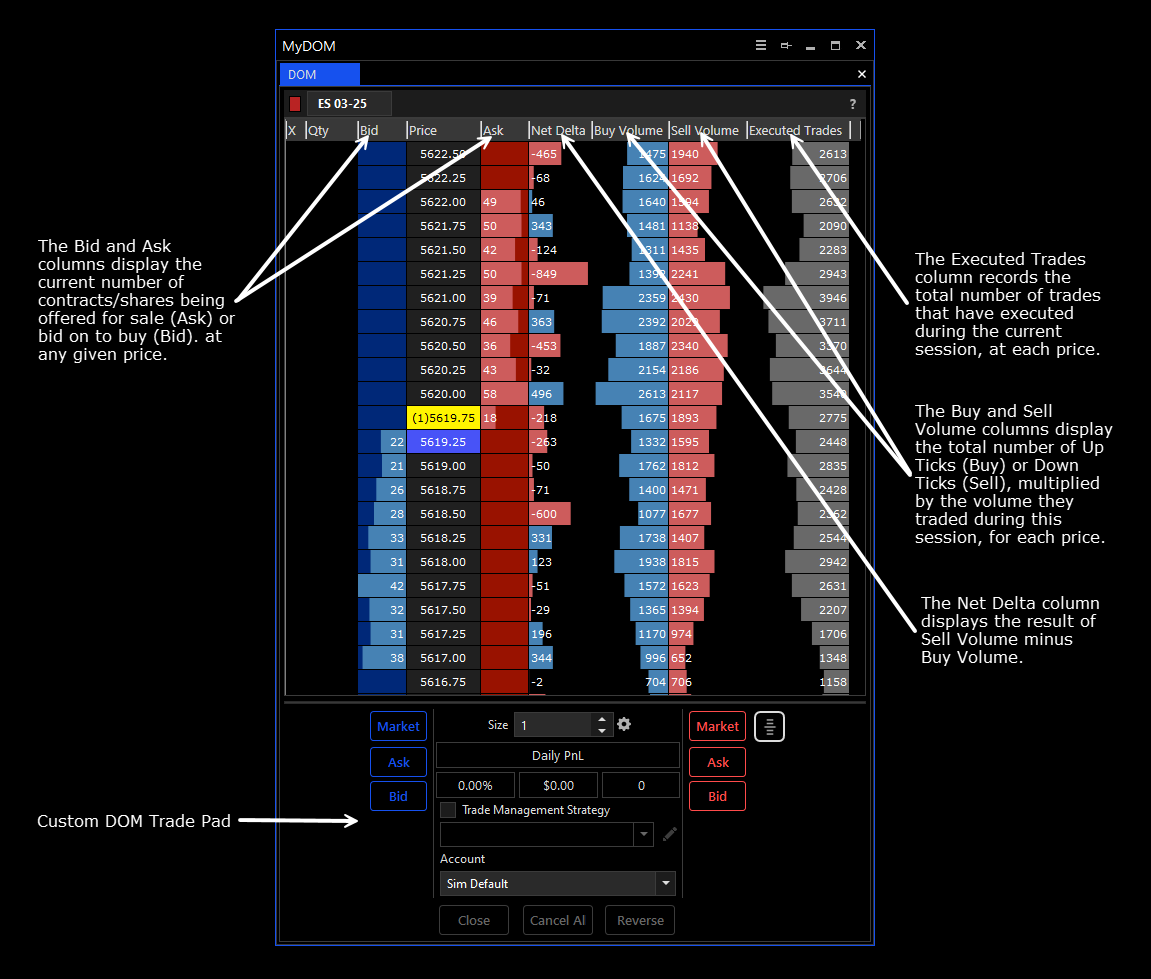
The Tickblaze DOM has been upgraded significantly over the earlier version. Now it includes multiple data points for the current session, that traders who use a DOM often rely on such as:
- Bid and Ask volume at price
- Delta at Price
- Total number of executed trades
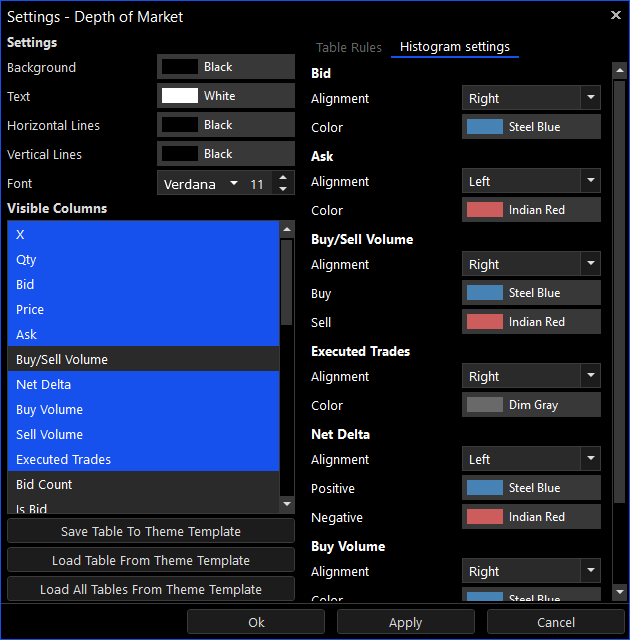
In addition to displaying the raw numbers involved, it also allows for displaying a histogram in the user’s color choice, for traders who are more visual than numbers-oriented.
DOM L2 Inventory
The DOM Bid and Ask columns display the current Level II data inventory updating in real time as it changes. The user can select the number of levels to be displayed from 1 to 100 in the settings.
Custom DOM Trade Pad
The Tickblaze DOM trade entry functionality has been upgraded to the same features as the Tickblaze Basic Trade Pad interface. This includes
- Buttons for placing buy and sell orders at market, bid and ask
- CLOSE, CANCEL ALL and REVERSE buttons for position and order management
- Trade Management Strategy script interface for automated trade management
The upgraded Tickblaze DOM tool offers the flexibility to fully customize all its features to support your personal preferences and trading style. A summary of the features of the Tickblaze DOM tool is included below:
Fully Customizable User Interface
The Tickblaze DOM allows the following customization:
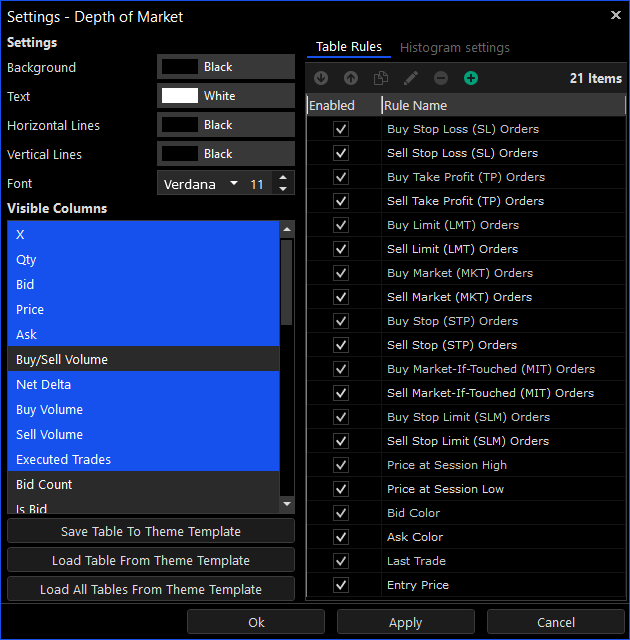
- Enabling/Disabling of table columns
- User selection of background, text and line colors
- Font selection
- Table rules
- Histogram bars colors and alignment
- Creation of settings templates