
Create a Data Connection
Note: The Tickblaze Data Connection settings shown below are applicable to the live IB brokerage account only. The Tickblaze platform offers a more robust implementation of simulated trading accounts. Our version is more stable and flexible, since it allows for unlimited user-created simulation accounts and allows the user instant addition, deletion, modification and resetting of simulated trading accounts.
Create an IB Data Connection in Tickblaze:
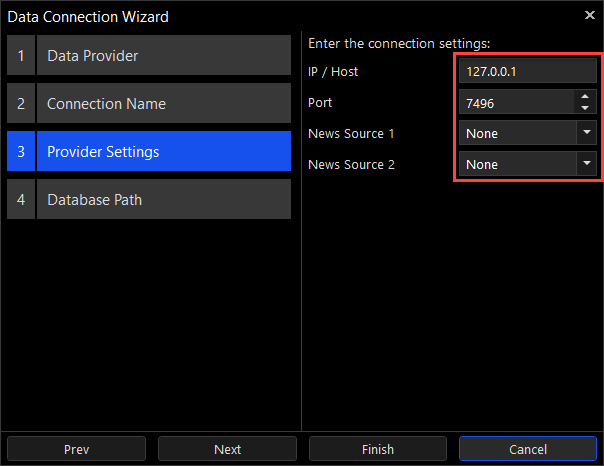
The following settings are used to connect to TWS or IB Gateway:
- IP / Host – the computer where TWS or IB Gateway is running. Usually this is 127.0.0.1, i.e. the same computer as the one where Tickblaze is running.
- Port – the port that TWS is listening for connections on (the default is 7496). If you’ve chosen to use IB Gateway then change this to IB Gateway’s port (the default is 4001).
- News Source 1 / 2 – if you have a subscription to a News provider (or to two providers) then select them here.